> ## Documentation Index
> Fetch the complete documentation index at: https://benchgen.com/docs/llms.txt
> Use this file to discover all available pages before exploring further.
# Chat with an OpenClaw Agent
> Talk to your connected OpenClaw agent from BenchGen: real system prompt, real tools, every turn traced.
Chat needs nothing beyond the plugin from [Connect an OpenClaw Agent](/docs/agentspace/connect-openclaw-agent). On its first `hello` over the relay, BenchGen connects the agent for chat: the agent becomes available in BenchGen's chat and gets registered for benchmarks. Until then the **Runtime** card reads *Waiting for the gateway*.
## Open chat
**Settings** → **Runtime** shows the connection (*via BenchGen relay*, with the plugin version), the gateway's status, **Open chat** and **Disconnect**. **Open chat** (or the **Chat** button on the agent's page) opens the agent in BenchGen's chat:
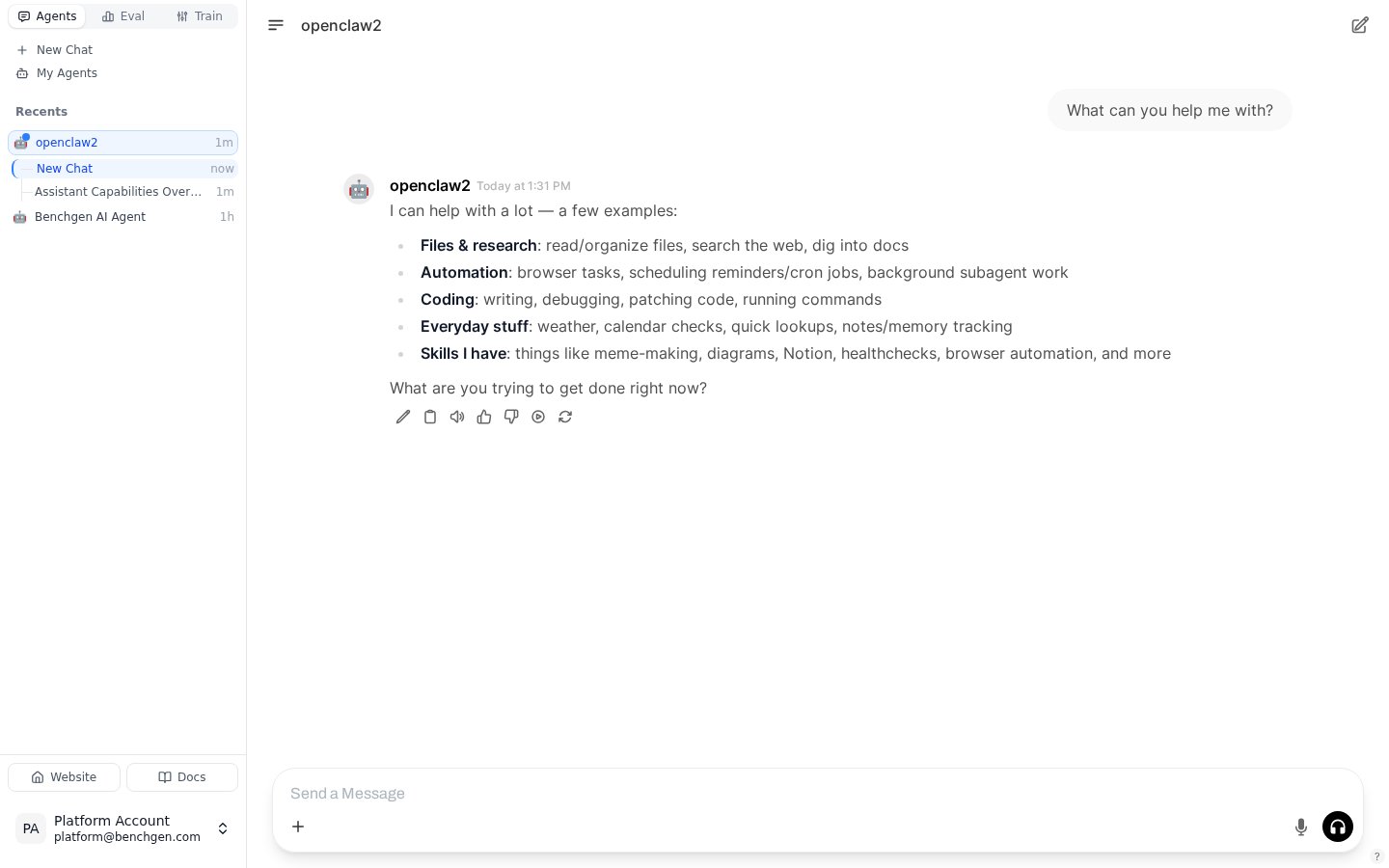 The turn runs under the gateway's channel `benchgen` with the agent's usual system prompt, tools, session store and permissions, the same as a message from any other channel. When the message names no agent, the gateway's default (or `chat.agentId`) answers. The reply streams in as the agent produces it, tool calls included.
## Sessions and traces
Each BenchGen conversation runs in its own agent session on the gateway (`agent::benchgen:direct:`), so parallel chats never share context. Every turn is traced with that session key and the tag `benchgen-chat`; a conversation reads as one session on the agent's **Traces** tab. How to read those traces is on [Benchmark an OpenClaw Agent](/docs/agentspace/benchmark-openclaw-agent).
## Disconnect and reconnect
**Disconnect** removes the chat registration and marks chat for this agent as switched off; the gateway stays connected for traces. The Runtime card then offers **Connect** to bring chat back; no URL or key needed. While the gateway is down, the card reads *Gateway offline, last seen …*; it reconnects for chat on its own when the gateway comes back.
To keep the plugin from accepting chat at all, set `"chat": { "enabled": false }` (or `BENCHGEN_CHAT_ENABLED=false`). The plugin then only streams traces.
Whoever holds the agent's key pair can talk to the agent: the keys that authorize trace ingest are what authorize chat. Treat the secret key accordingly, and rotate it if it leaks.
The plugin also serves `POST /benchgen/chat` on the gateway port for direct calls and local testing (same keys, `curl -u 'pk-…:sk-…'`); the README in the plugin package documents that endpoint and the relay protocol frame by frame.
The turn runs under the gateway's channel `benchgen` with the agent's usual system prompt, tools, session store and permissions, the same as a message from any other channel. When the message names no agent, the gateway's default (or `chat.agentId`) answers. The reply streams in as the agent produces it, tool calls included.
## Sessions and traces
Each BenchGen conversation runs in its own agent session on the gateway (`agent::benchgen:direct:`), so parallel chats never share context. Every turn is traced with that session key and the tag `benchgen-chat`; a conversation reads as one session on the agent's **Traces** tab. How to read those traces is on [Benchmark an OpenClaw Agent](/docs/agentspace/benchmark-openclaw-agent).
## Disconnect and reconnect
**Disconnect** removes the chat registration and marks chat for this agent as switched off; the gateway stays connected for traces. The Runtime card then offers **Connect** to bring chat back; no URL or key needed. While the gateway is down, the card reads *Gateway offline, last seen …*; it reconnects for chat on its own when the gateway comes back.
To keep the plugin from accepting chat at all, set `"chat": { "enabled": false }` (or `BENCHGEN_CHAT_ENABLED=false`). The plugin then only streams traces.
Whoever holds the agent's key pair can talk to the agent: the keys that authorize trace ingest are what authorize chat. Treat the secret key accordingly, and rotate it if it leaks.
The plugin also serves `POST /benchgen/chat` on the gateway port for direct calls and local testing (same keys, `curl -u 'pk-…:sk-…'`); the README in the plugin package documents that endpoint and the relay protocol frame by frame.