> ## Documentation Index
> Fetch the complete documentation index at: https://benchgen.com/docs/llms.txt
> Use this file to discover all available pages before exploring further.
# Datasets from an OpenClaw Agent
> Turn the agent's real turns into datasets: for training, annotation, or as benchmark material.
Traces are raw material for datasets. Any turn the connected agent handled ([Connect an OpenClaw Agent](/docs/agentspace/connect-openclaw-agent)) can become a dataset item; how to read those turns is on [Benchmark an OpenClaw Agent](/docs/agentspace/benchmark-openclaw-agent).
## Build a dataset from traces
On the **Traces** tab, select the turns you want (say, every `benchgen-chat` turn where the agent went wrong) and choose **Add to dataset**. Pick an existing dataset of this agent, or type a name (for example `failed-turns`) to create one.
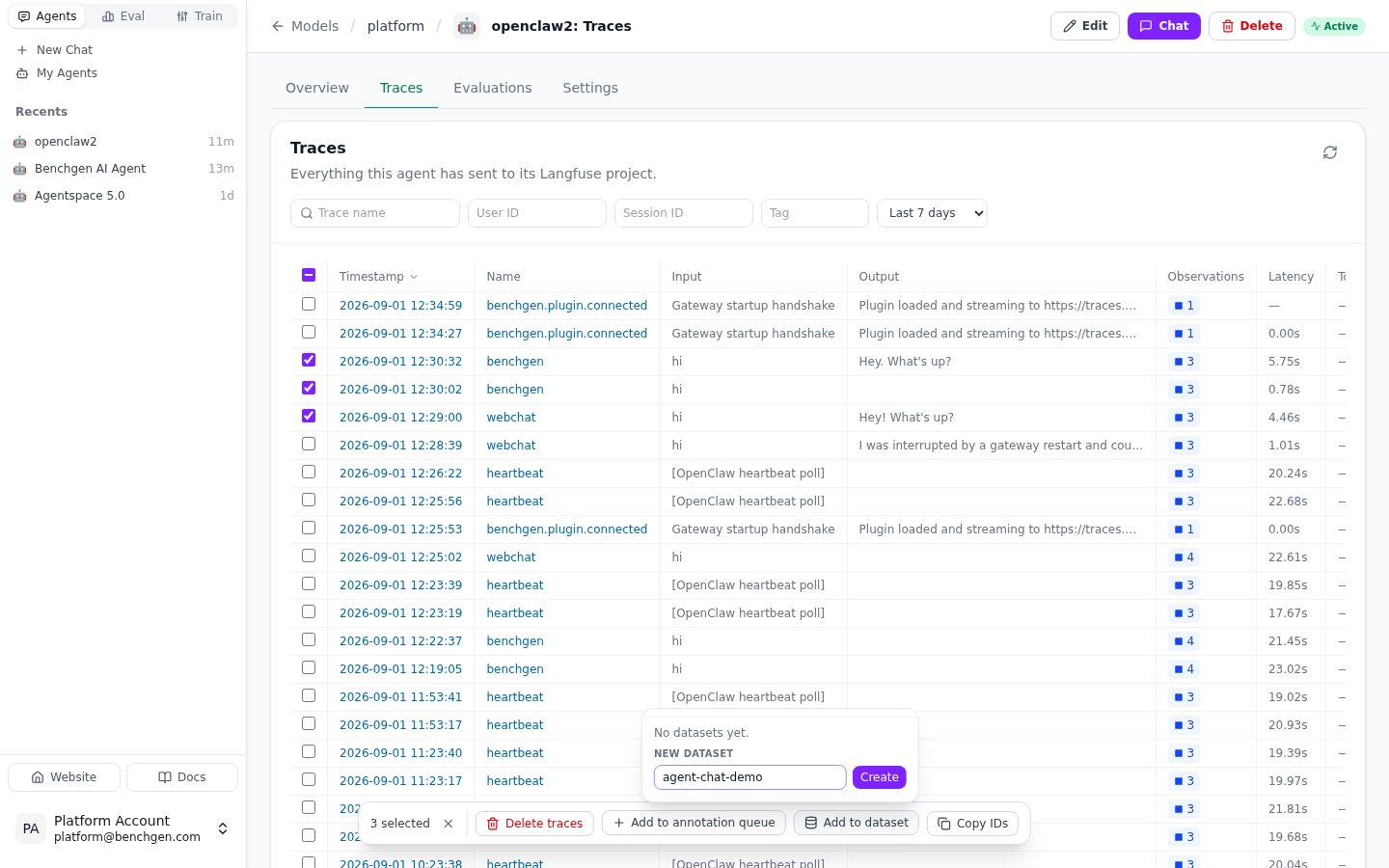 Each selected trace becomes one dataset item with the turn's input and output. The dataset is created in the agent's own project and catalogued in BenchGen at the same time, so it:
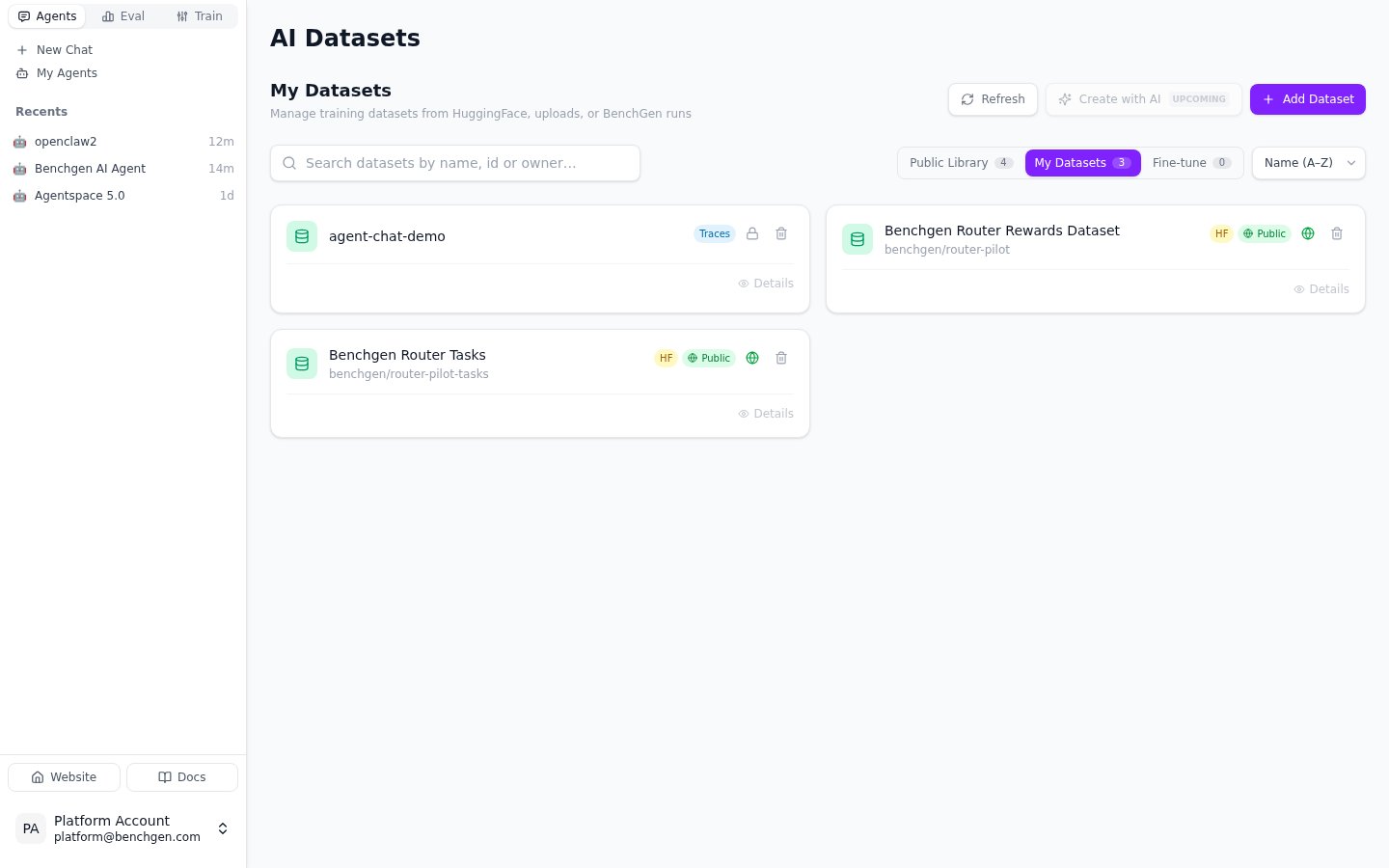
* appears under **Datasets** with its own URL, linking back to the traces it was built from;
* can be picked in the training form, the same as any dataset uploaded by hand or imported from HuggingFace.
Each selected trace becomes one dataset item with the turn's input and output. The dataset is created in the agent's own project and catalogued in BenchGen at the same time, so it:
* appears under **Datasets** with its own URL, linking back to the traces it was built from;
* can be picked in the training form, the same as any dataset uploaded by hand or imported from HuggingFace.
 ## Find an item's id and its source trace
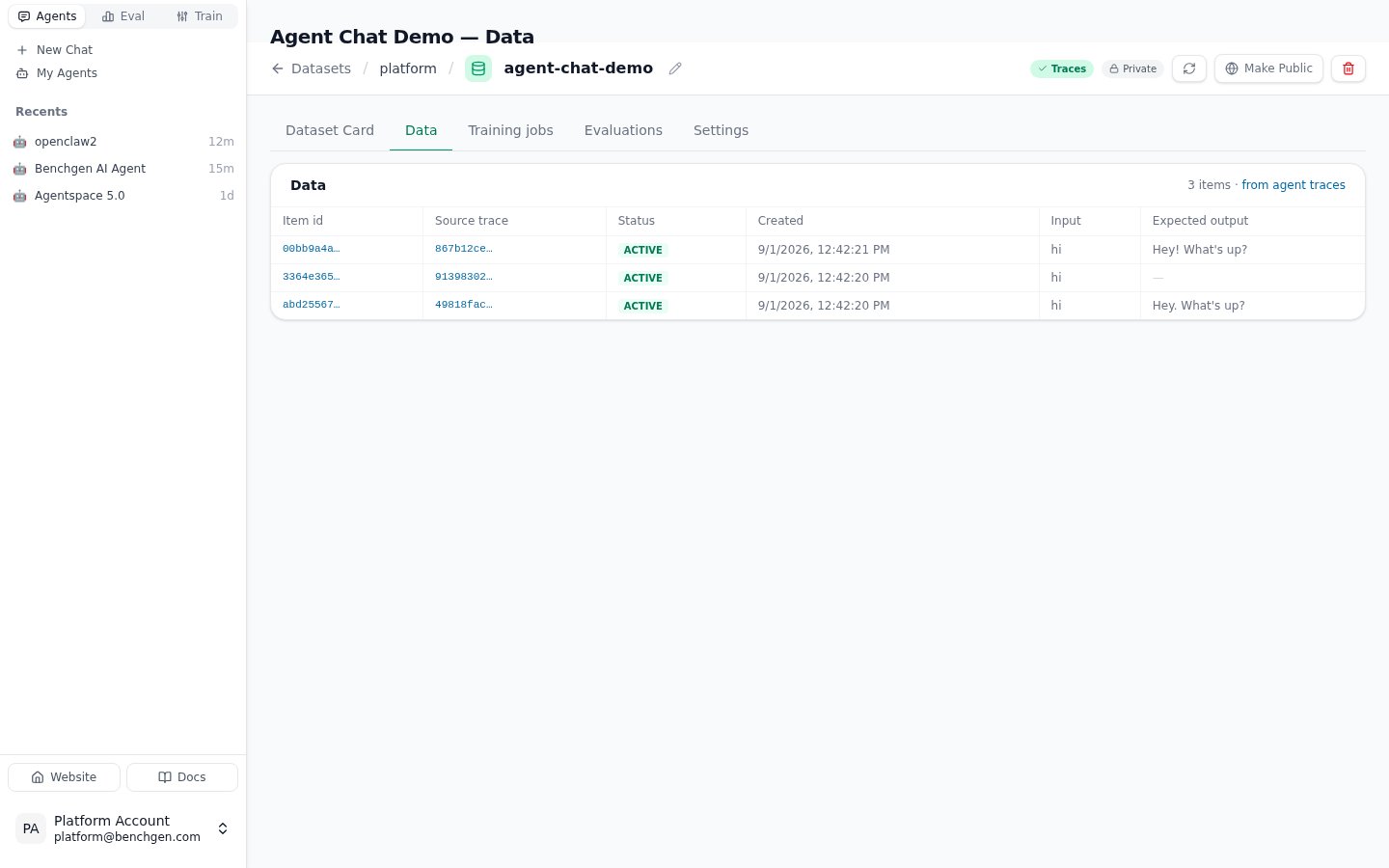
The **Data** tab lists one row per item. The **Item id** column carries the id
the training form and the API refer to, and **Source trace** links the item
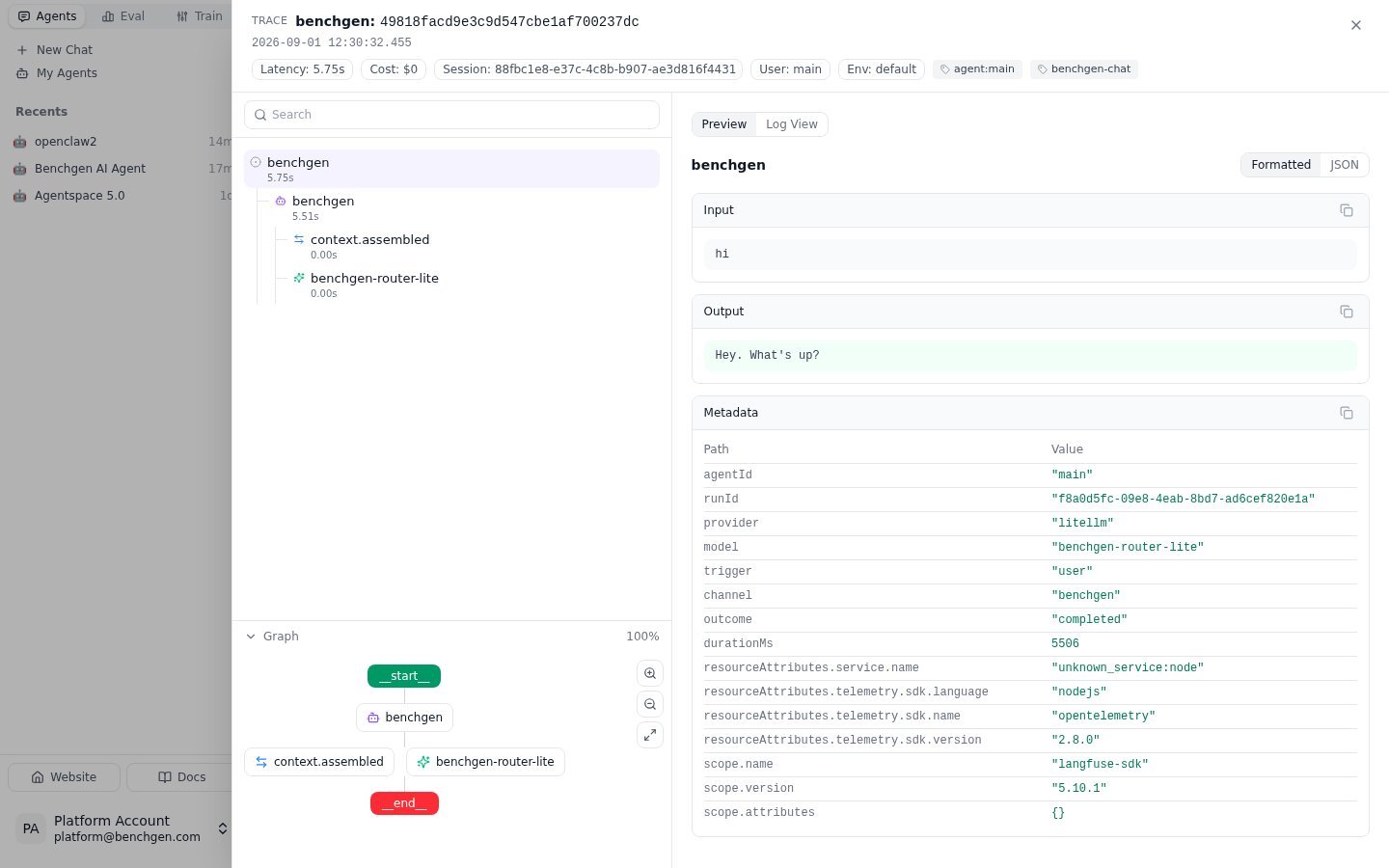
back to the trace it was made from; click it to open that trace in place, with
the same observation tree and input/output view as on the Traces tab.
## Find an item's id and its source trace
The **Data** tab lists one row per item. The **Item id** column carries the id
the training form and the API refer to, and **Source trace** links the item
back to the trace it was made from; click it to open that trace in place, with
the same observation tree and input/output view as on the Traces tab.
 Items are not copied anywhere else: the dataset in the agent's project is the one source of truth. Adding more traces later reports how many were **added**, **skipped** (already in the dataset) and **failed**.
For human review before training, **Add to annotation queue** puts the same selection into one of the agent's annotation queues.
## Next: fine-tune a model
Or bring in more data by uploading a file or importing from HuggingFace.
Configure and launch a LoRA fine-tuning run on the dataset you just built.
Items are not copied anywhere else: the dataset in the agent's project is the one source of truth. Adding more traces later reports how many were **added**, **skipped** (already in the dataset) and **failed**.
For human review before training, **Add to annotation queue** puts the same selection into one of the agent's annotation queues.
## Next: fine-tune a model
Or bring in more data by uploading a file or importing from HuggingFace.
Configure and launch a LoRA fine-tuning run on the dataset you just built.