

What it can do
- Write a benchmark from a topic, a question count and a format you pick
- Ask questions and expect one short answer, or offer options and expect one letter
- Test whether a model picks the right tool and the right arguments
- Expect a number, right within a tolerance you set
- Score a free answer on the key points it mentions
- Build the whole evaluation package for a format the standard editor cannot express
- Upload a benchmark you already have as a zip
- Build one from a public git repository, so the benchmark has a history
- Drop duplicate questions and spread the correct letters across A, B, C and D
- Rehearse a custom format against a stand-in model, all right then all wrong, before it reaches your account
- Show every question with its answer for approval, then create the benchmark as a draft
- Publish a draft when you ask
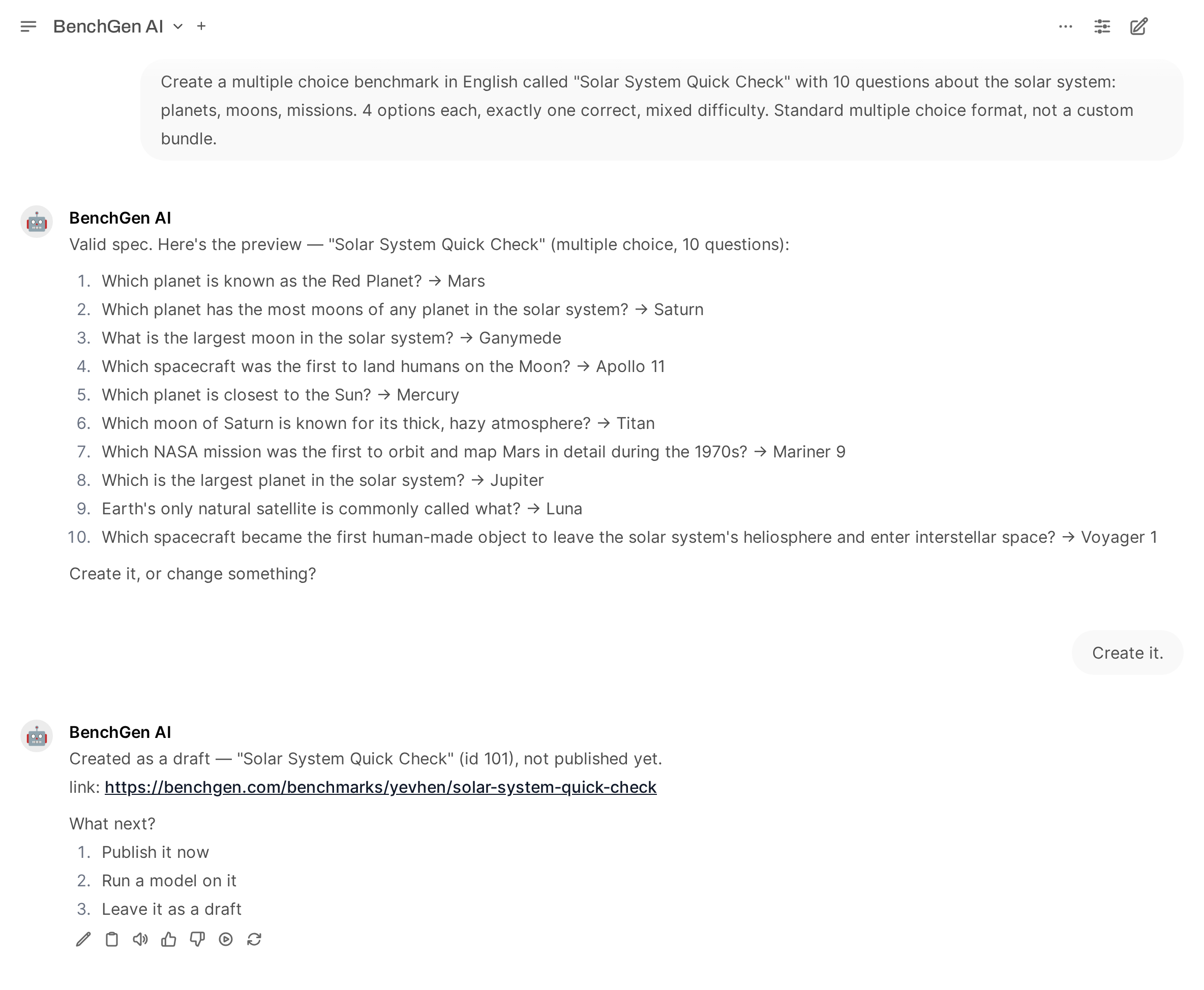
From a request to a draft benchmark: the preview of every question with its answer, the confirmation, and the link
Prompts to try
What it will not do
- Create or publish anything without an explicit request
- Retry on its own. One create per confirmation, and a failure is reported rather than repeated
- Change an existing benchmark, or create a second one to fix a first
- Delete or unpublish anything
Creation is rate limited to 10 benchmarks a day and 3 a minute through the agent. The web app is
not limited.
Related
Creating a benchmark step by step
The walkthrough, with screenshots and large benchmarks.
Run a benchmark
Put a model on what you just made.
Bundle structure
What a custom format package contains.
Create from a repository (API)
Build a benchmark from a bundle in a git repository.