

Agent-to-Agent (A2A) Connection Guide
This guide provides a step-by-step walkthrough for connecting your Agentspace agent as an agent using the SSE (Server-Sent Events) protocol.Overview
The Agent-to-Agent protocol enables standardized communication between AI agents through:- Agent Discovery: Retrieve agent metadata and capabilities
- SSE Streaming: Real-time bidirectional communication
- Context Management: Maintain conversation history across messages
Prerequisites
Before you begin, ensure you have:- Your agent deployed and accessible on Agentspace
- A tool to make HTTP requests (curl, Postman, or a programming language HTTP client)
- Ability to handle Server-Sent Events (SSE) streams
A2A Inspector Tool
For testing and validating your A2A connections, we recommend using the A2A Inspector - an open-source tool that helps you:- Validate agent cards and their structure
- Test SSE streaming connections
- Debug agent conversations in real-time
- Visualize message flow and responses
Step 1: Get the Agent Card URL
The agent card is a JSON document that describes your agent’s capabilities, supported protocols, and available endpoints. It follows the standardized.well-known/agent.json convention.
Agent Card URL Structure
How to Obtain
- Navigate to your Agentspace My Agents
- Click the link below your deployed agent to open agent details page in new tab
- Copy the agent card URL from the API Documentation tab
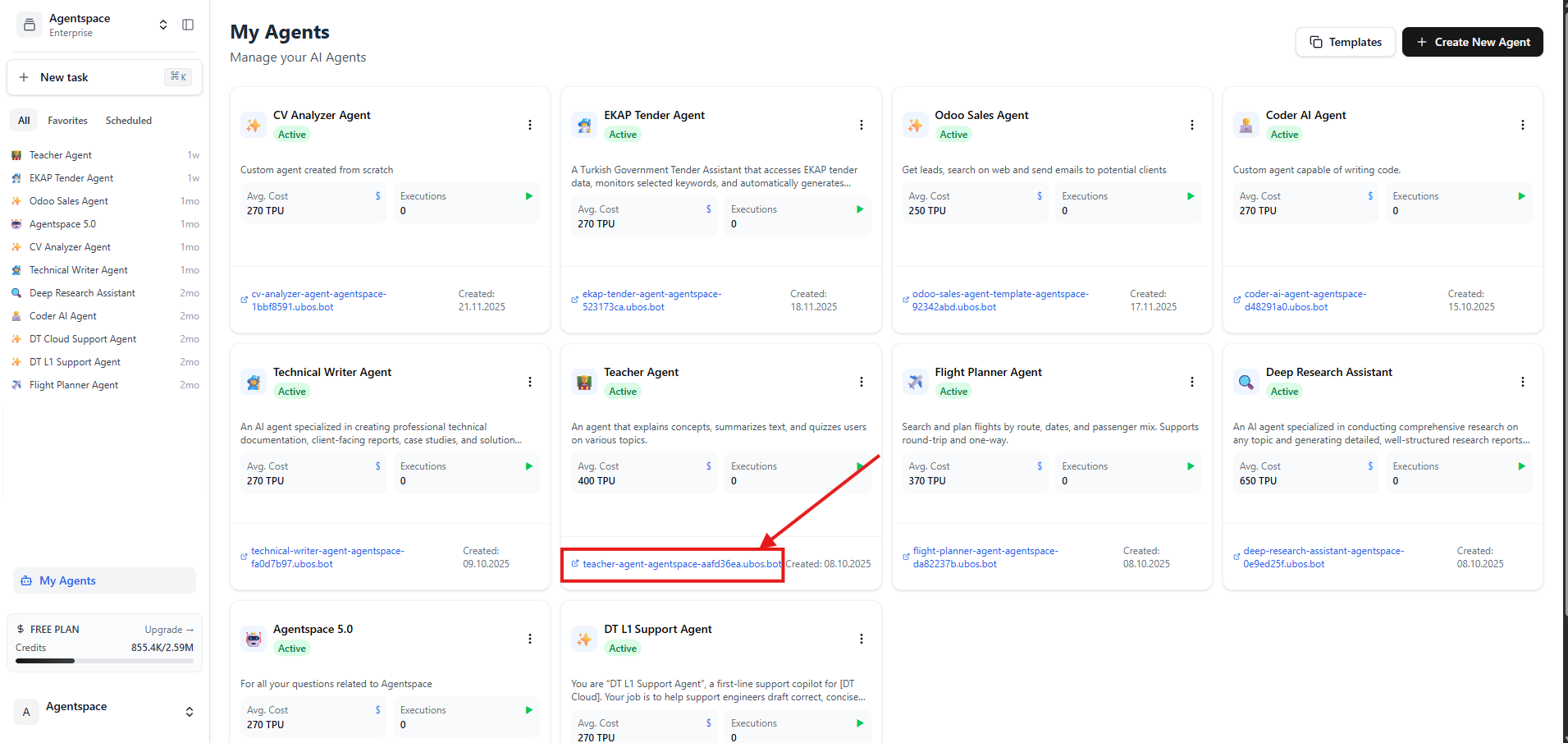
Click the link below your agent to open the agent details page in a new tab
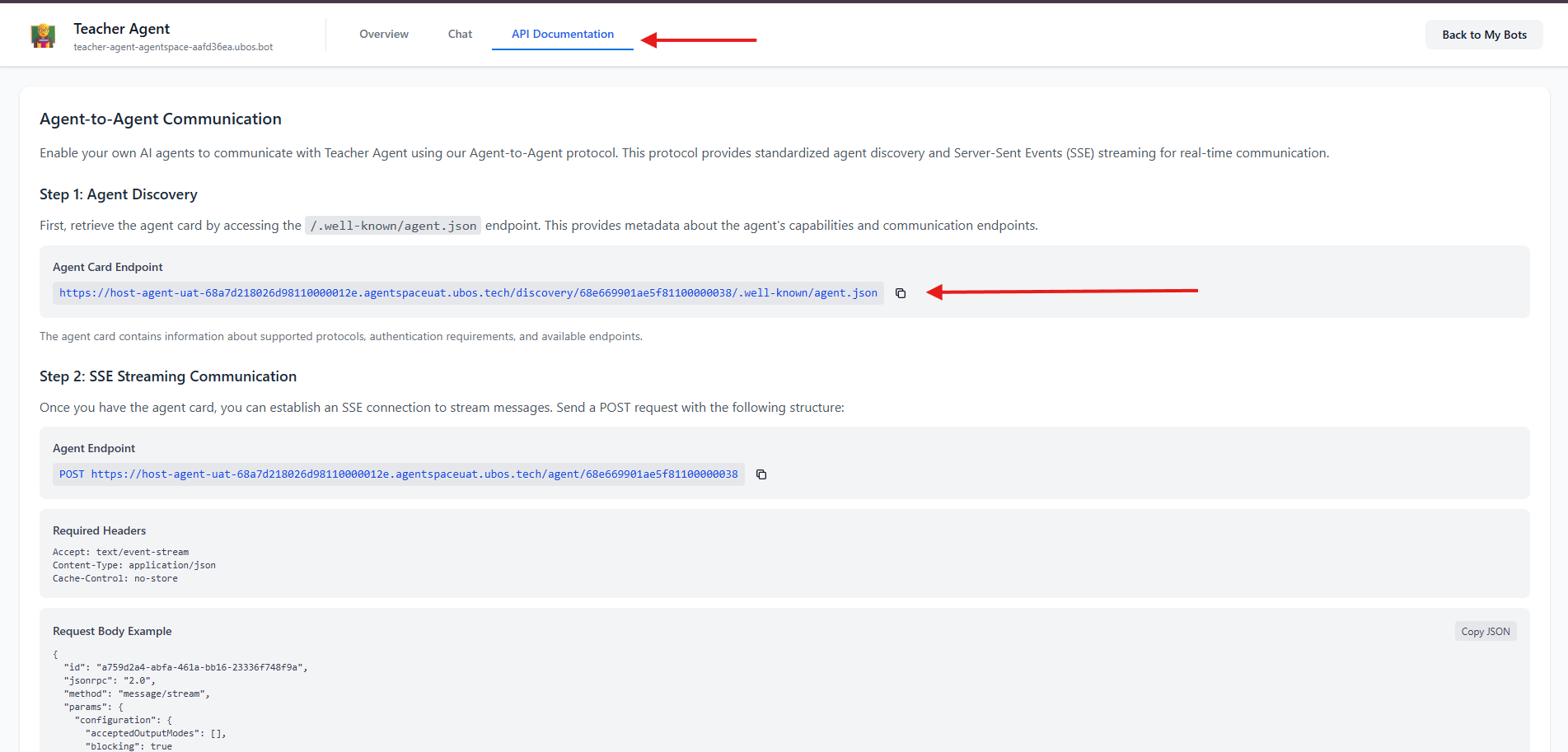
Click API Documentation on the new tab to access the Agent Card endpoint
Step 2: Discover Agent Card and Add Agent
Make a GET Request
Using curl
Using JavaScript/Node.js
Understanding the Agent Card Response
name: The agent’s display nameurl: The endpoint for sending messages (use this in Step 3)description: Used by host agent to choose when to call this agentversion: Agent version
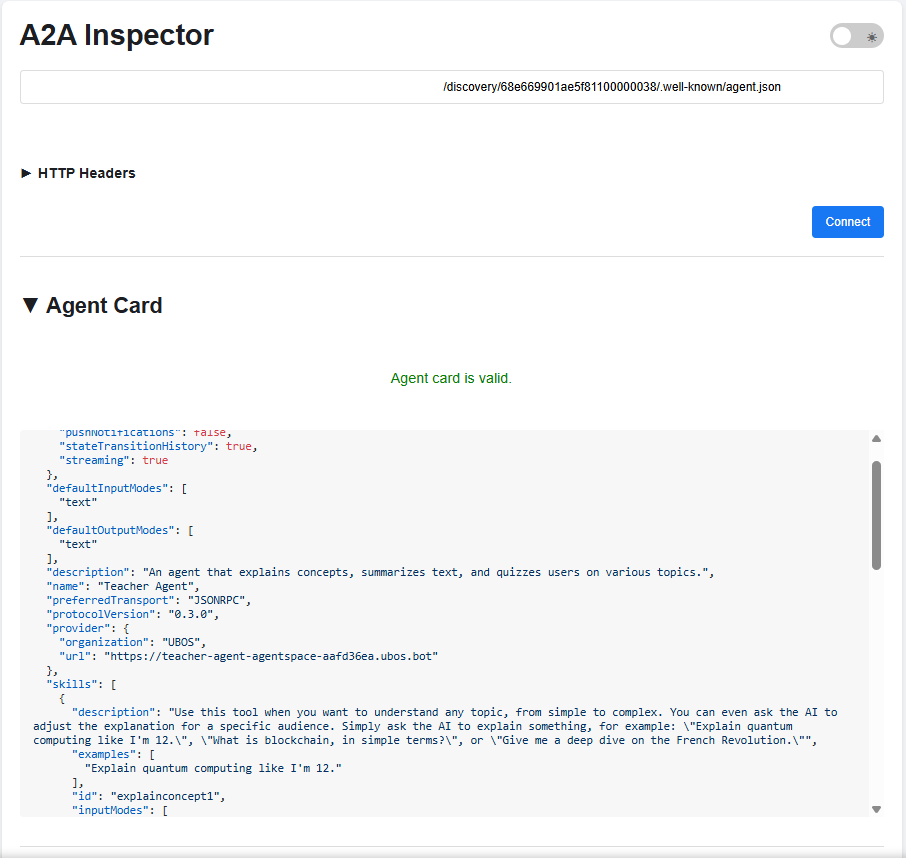
Sample Agent Card JSON response, viewed with the A2A inspector
Step 3: Send Messages via SSE Streaming
Use theurl from your agent card response:
Required Headers
Request Body Structure
Field Descriptions
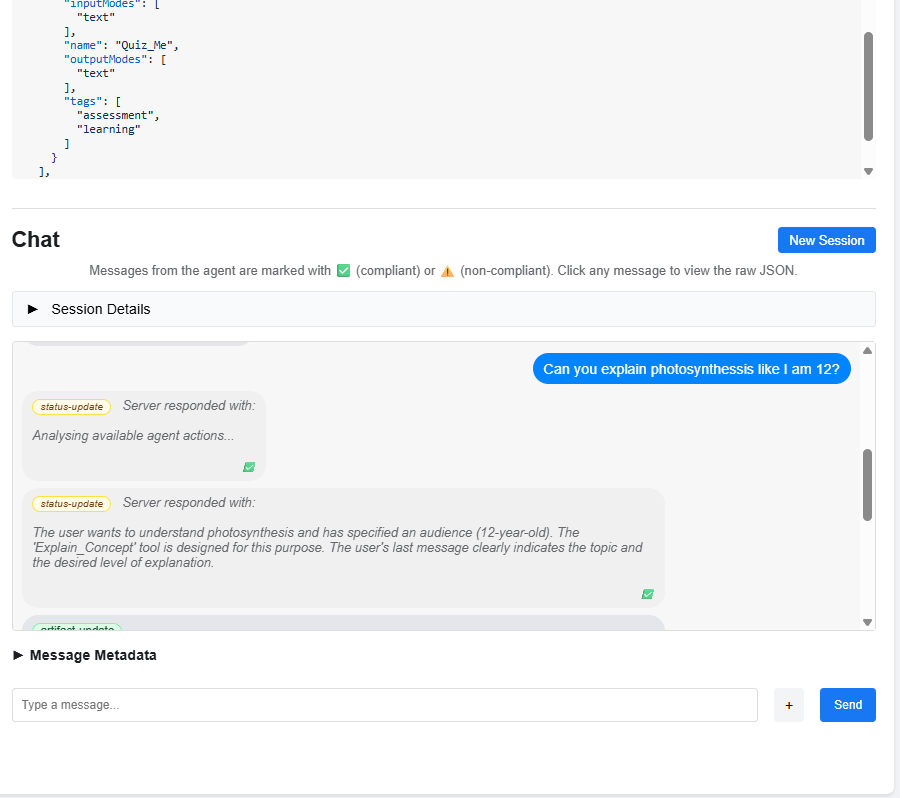
A streamed conversation with status updates, viewed with the A2A Inspector
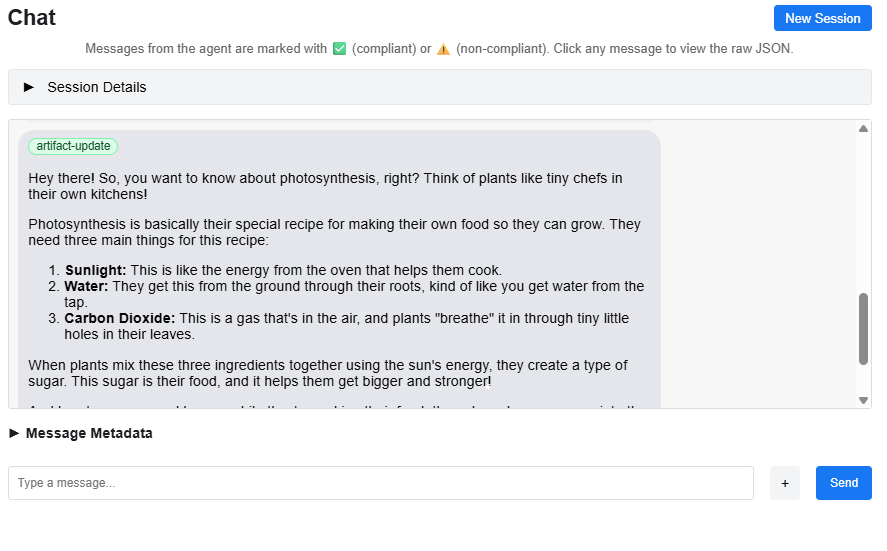
The same conversation's artifacts, viewed with the A2A Inspector
Complete JavaScript/Node.js Example
Understanding SSE Responses
Common Response Types
Status Update
Artifact Update
Response Type Summary
Multi-Turn Conversations
To maintain conversation context, use the samecontextId across multiple messages:
contextId to start a fresh conversation.
Best Practices
- Always generate unique UUIDs for
id(per request) andmessageId(per message). - Re-use
contextIdwithin a conversation to preserve history. - Handle both
status-updateandartifact-updateevents in your stream processor. - Implement connection pooling and rate limiting when scaling your integration.