

@benchgen/benchgen-openclaw.
You need a gateway 2026.7.2 or newer and plugin 0.3.0 or newer (older combinations only trace: 2026.7.1 lacks the chat bridge hook, plugin 0.2.x cannot chat), and an agent record in BenchGen: if you have none yet, create one under My Agents → Create New Agent. Everything you will paste, the key pair, the endpoint and the chat relay URL, is on that agent’s Observability card on its Overview tab.
Ways to connect
Three ways to put the configuration in place; pick by what kind of access you have to the gateway.A. Command line
1
Install the plugin
2
Configure the plugin
BENCHGEN_CHAT_URL from the card; Enter keeps the built-in default, which is the production relay), enables the plugin and writes plugin-scoped config to plugins.entries.benchgen.3
Restart the gateway and check status
How you restart depends on the hosting:
docker restart <container> for a Docker gateway, or the restart control in your hosting panel. Then:Enabled: yes and Status: loaded mean the plugin is running. Now verify.B. Setup prompt
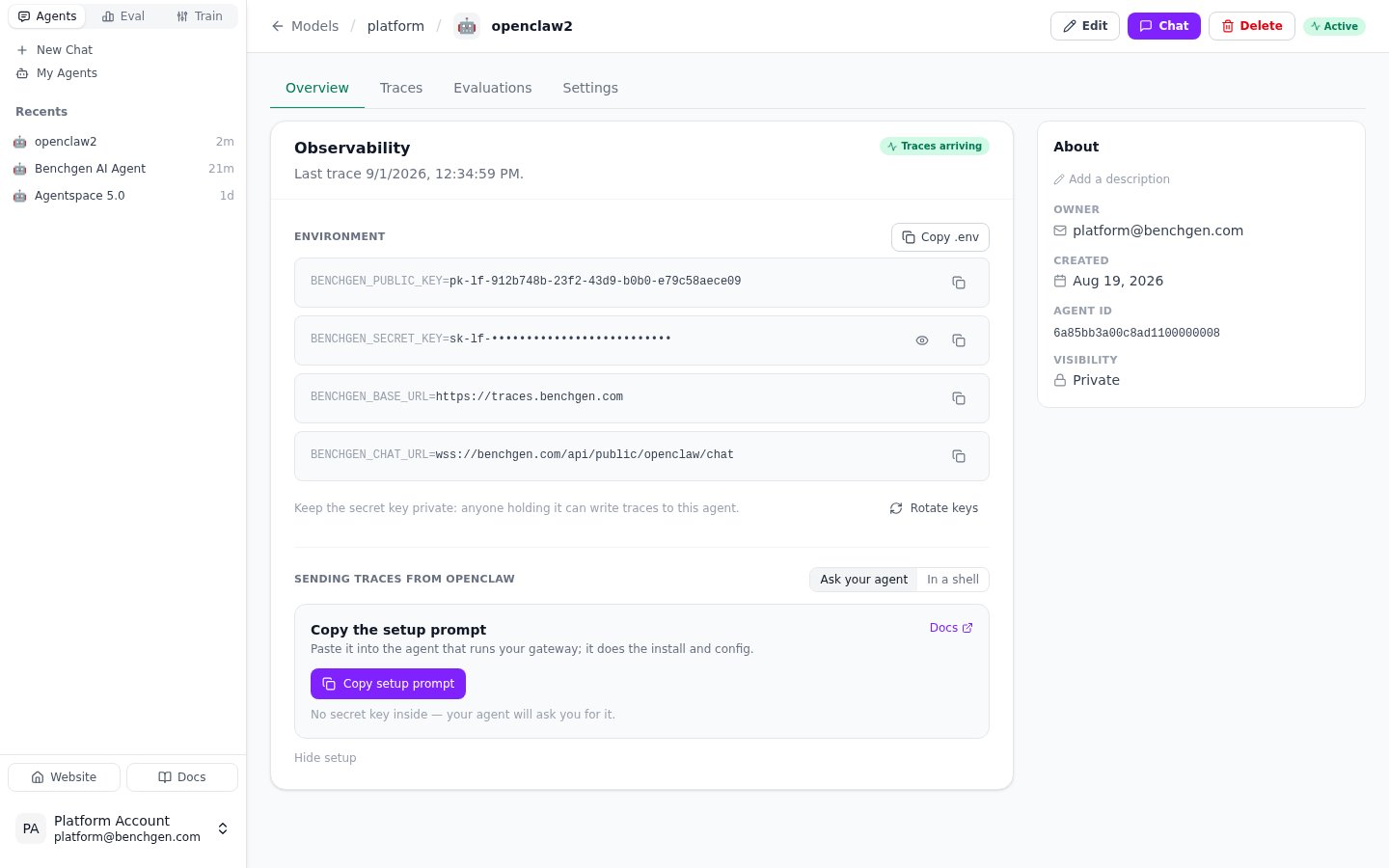
The Observability card: the agent's key pair, its trace status, and under Sending traces from OpenClaw the Copy setup prompt button
What the prompt says
What the prompt says
Your copy carries your agent’s real public key in place of the placeholder; the URLs below are the production values, and your copy has the ones for your BenchGen environment.
C. Manual JSON
Use this when you need explicit checked-in or templated plugin configuration, or when your only access is the Control UI’s raw config editor (Settings → Advanced → Settings → Raw). Add this to your OpenClaw config, at the root level. The URLs are the production values; on another BenchGen environment use theBENCHGEN_BASE_URL and BENCHGEN_CHAT_URL from the Observability card. The key pair is your agent’s own, also on the card:
enabled flags have to be true: the outer one loads the plugin, the inner one turns on streaming. benchgen is the plugin’s manifest id, not its npm package name. chat.url is the card’s BENCHGEN_CHAT_URL; leave it out only if the card’s value equals the plugin’s built-in default (the production relay).
The environment fallbacks BENCHGEN_PUBLIC_KEY, BENCHGEN_SECRET_KEY, BENCHGEN_BASE_URL and BENCHGEN_CHAT_URL are read when the matching config key is absent, and BENCHGEN_CHAT_ENABLED=false switches chat off the same way. Setting all four on the container skips the wizard entirely. Restart the gateway after editing.
Verify
Every time the plugin starts with valid configuration it sends one trace of its own:benchgen.plugin.connected, tagged benchgen-setup. The Observability card flips from Waiting for first trace to Traces arriving when it lands, with no page reload.
With chat enabled the gateway log also shows the relay coming up (relay connected), and within a few seconds the agent’s Settings → Runtime card reads connected through the BenchGen OpenClaw plugin with an Open chat button.
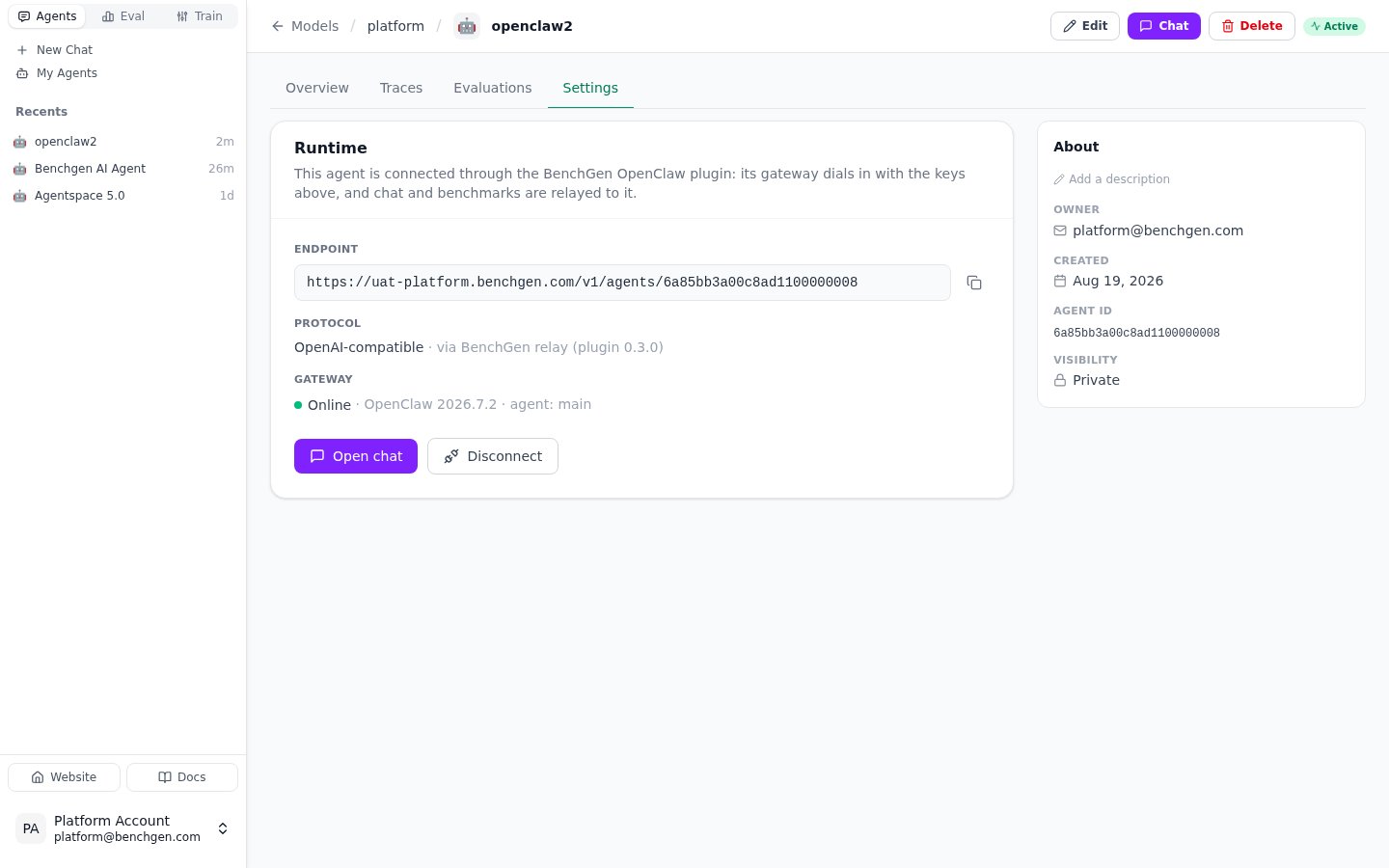
The Runtime card once the plugin has dialled in: endpoint, protocol via BenchGen relay, gateway online, Open chat
4401) and retries with backoff until the keys are right.
These handshake traces accumulate, since a config edit counts as a start. Filter the Traces tab by tag benchgen-setup to isolate them, or to scan past them.
Then send your agent a few ordinary messages. Those produce the real traces.
First traces
The Traces tab is the agent’s own trace store, read with the keys on the Observability card. One project per agent, so nothing from other agents is mixed in. One trace per message the agent handles. After the handshake, send the agent a few ordinary messages and they appear here within seconds; that is what a freshly connected agent should look like: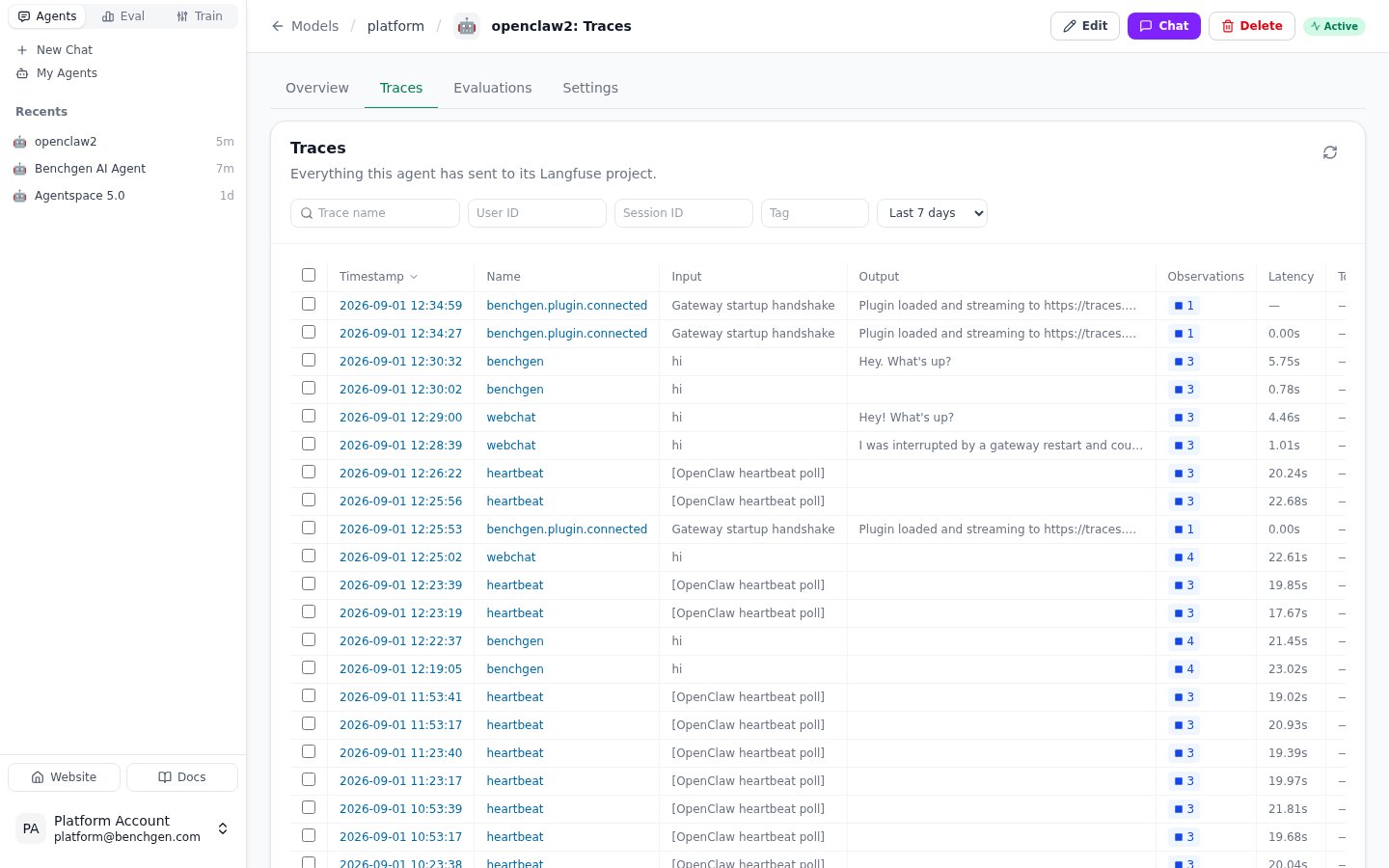
The Traces tab right after connecting: chat turns, gateway handshakes and heartbeats, with filters and a time range
heartbeat (input [OpenClaw heartbeat poll]), turns that came from BenchGen (chat and benchmarks) as benchgen, and every trace carries an agent:<id> tag for the gateway agent that ran it (agent:main on a default gateway). Handshakes are tagged benchgen-setup; filter by that tag to isolate them, or to scan past them.
Keys can be rotated from the Observability card (Rotate keys). Update the gateway’s config afterwards; the old pair stops working.
A connected agent is registered as a model, so benchmarks run against it like against any other model: running one, watching its live log and reading the run’s traces task by task is on Benchmark an OpenClaw Agent; turning traces into datasets is on Datasets from an OpenClaw Agent.
Chat
Chat needs nothing beyond the plugin. On its firsthello over the relay, BenchGen connects the agent for chat: the agent becomes available in BenchGen’s chat and gets registered for benchmarks. Until then the Runtime card reads Waiting for the gateway; from then on it shows Open chat.
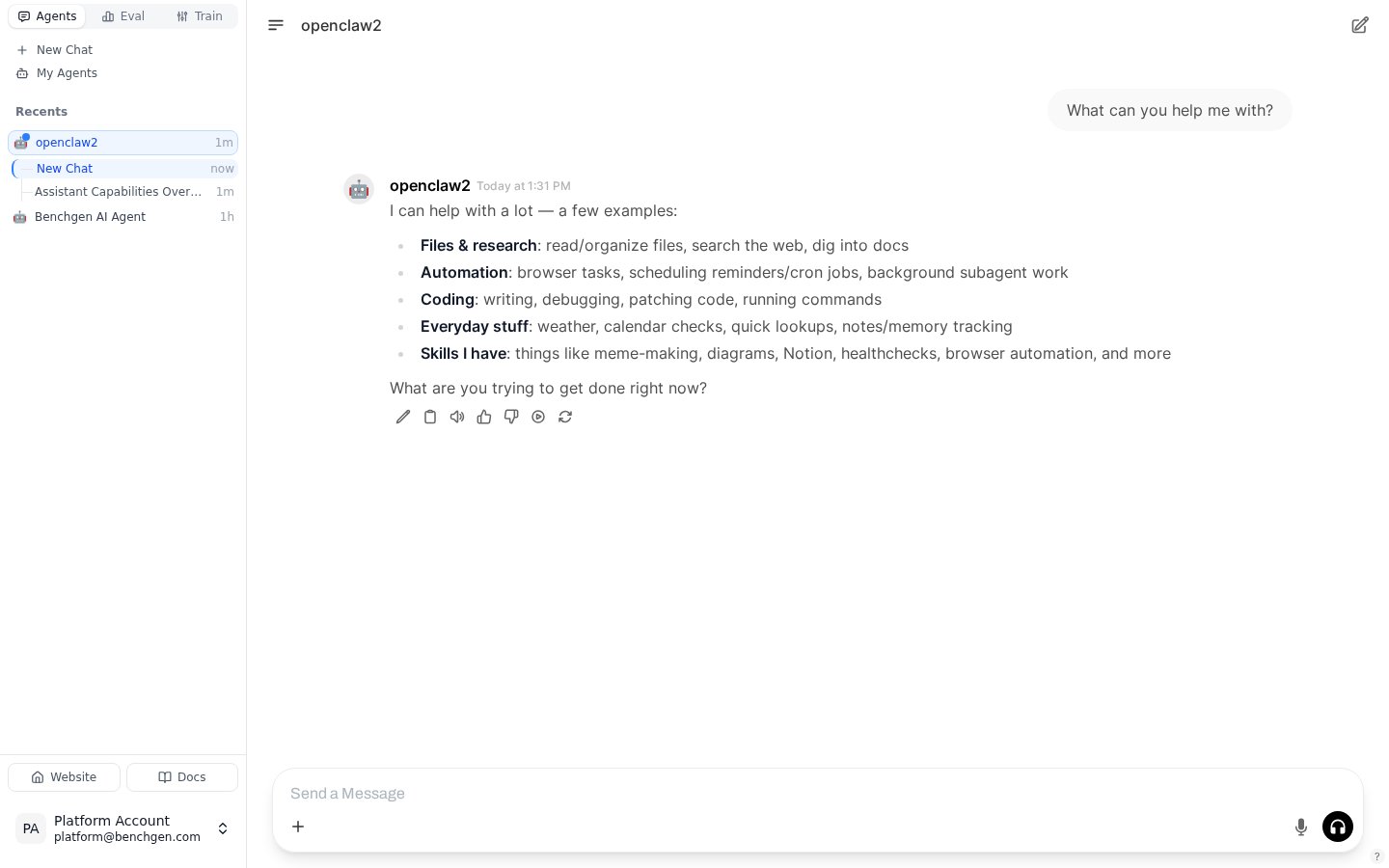
A conversation with a connected OpenClaw agent, opened straight from the Runtime card
Chat with an OpenClaw Agent
Sessions, streaming, switching chat off, and reconnecting.
Benchmark an OpenClaw Agent
Run it against an environment and read the trace.
What the install gives you
Everything above came from the one plugin install, and all of it is outbound from the gateway: traces go to the BenchGen endpoint, chat rides on a WebSocket the plugin keeps open, so the gateway can sit behind NAT, Docker, or a firewall. This is where each piece lives from now on:
Continue with Benchmark an OpenClaw Agent, Datasets from an OpenClaw Agent and Chat with an OpenClaw Agent.
Troubleshooting
Three symptoms cover almost everything. No handshake trace after restarting. Read the gateway log and match the line:Less common log lines
Less common log lines
Other chat symptoms
Other chat symptoms
openclaw.json.bak through your hosting panel — an unknown key or wrong type blocks startup.
Upgrade the plugin
Run: openclaw plugins update benchgen. Restart the gateway afterwards to load the new code.
plugins install refuses to overwrite a plugin that is already present; use update, or --force.
Upgrading from 0.2.x: chat is on by default in 0.3.0. Run openclaw benchgen configure once to set the chat relay URL (or add chat.url), or set "chat": { "enabled": false } if you only want traces.