


dockerhub-creds pull secret, and DNS for every hostname in your values.
Air-gapped environments
DT Edge Platform is built for air-gapped installs: every image is served from the platform registry, not from the public internet. The container runtime on each edge node mirrorsdocker.io through the registry’s pull-through proxy (the dockerhub-proxy project), so the chart’s canonical image names keep working with zero values changes - pulls never leave the platform.
For a fully offline site, pre-load all chart images into the platform registry before installing. Alternatively, mirror the images under your own registry namespace and override the repositories in values - see the Helm values reference (image.* for the core components; the agentspace service images live inside each service’s containers list in the chart defaults, so overriding one means copying that whole list).
Either way, the pull secret (dockerhub-creds by default) must hold credentials for the registry the images are actually pulled from.
1. Find the package in the Marketplace
Open Marketplace in the left sidebar and locate thebenchgen package. Every published chart version is available under one card - the version is selected at install time.
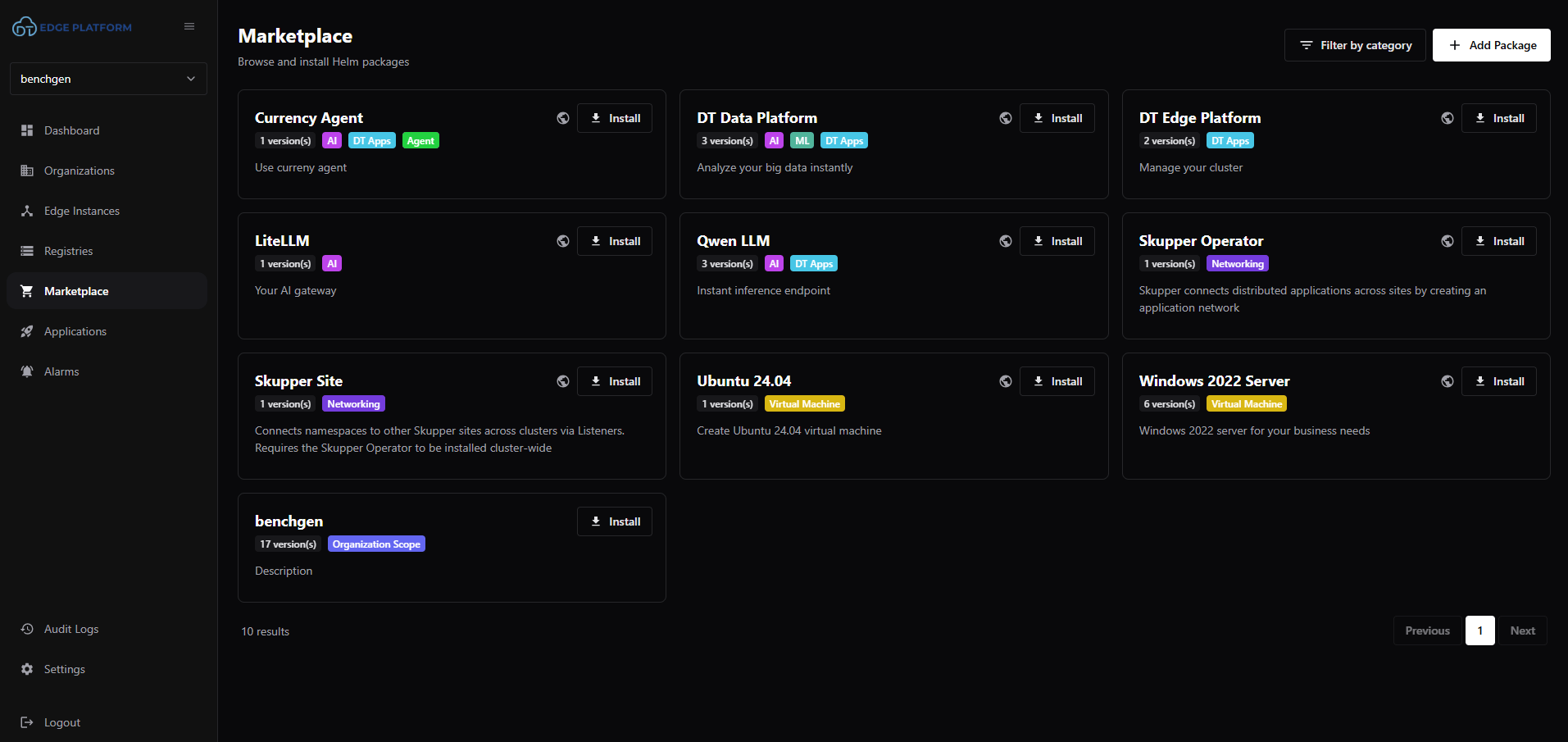
The benchgen package in the DT Edge Platform marketplace
If the package is missing, add it with Add Package (upload the chart
.tgz or point at the chart repository). Packages added with organization scope are visible to your whole organization.2. Install
Click Install on thebenchgen card and fill in the dialog:
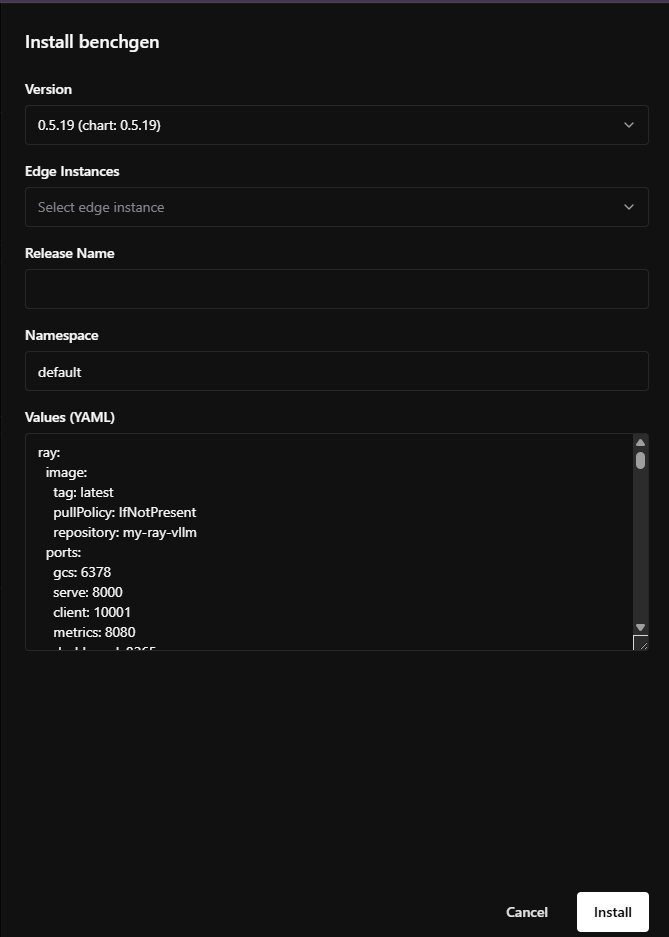
Install dialog - version, target instance, release name, namespace, and values
The values editor is pre-filled with the chart defaults. Replace its content with your own values file - the same one you would pass to
helm -f, with all CHANGE-ME placeholders and hostnames filled in.
Click Install. DT Edge Platform runs the Helm install, including the bootstrap hooks (migrations and the two admin-init jobs).
3. Track the release in Applications
The release appears under Applications with its namespace, edge instance, and Helm status: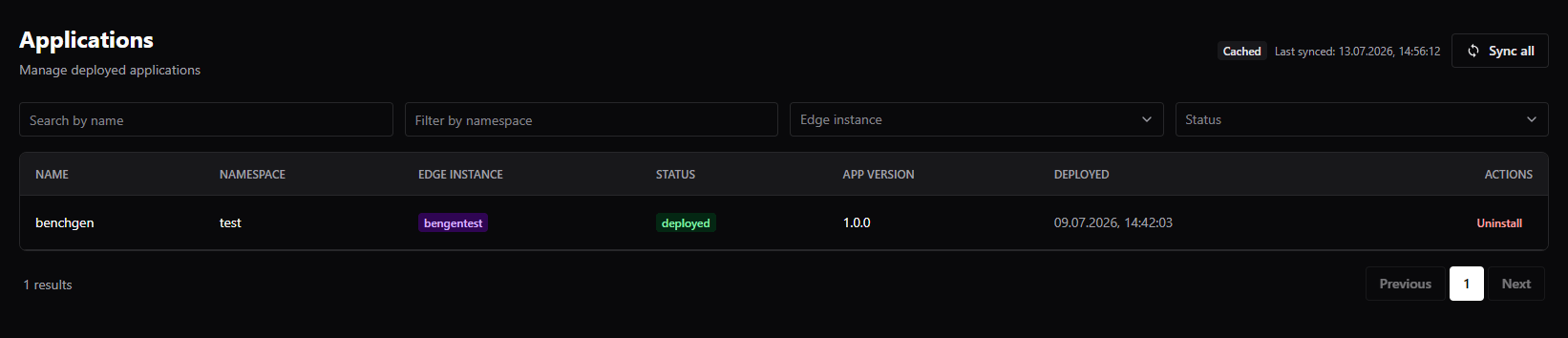
The deployed release in the Applications list
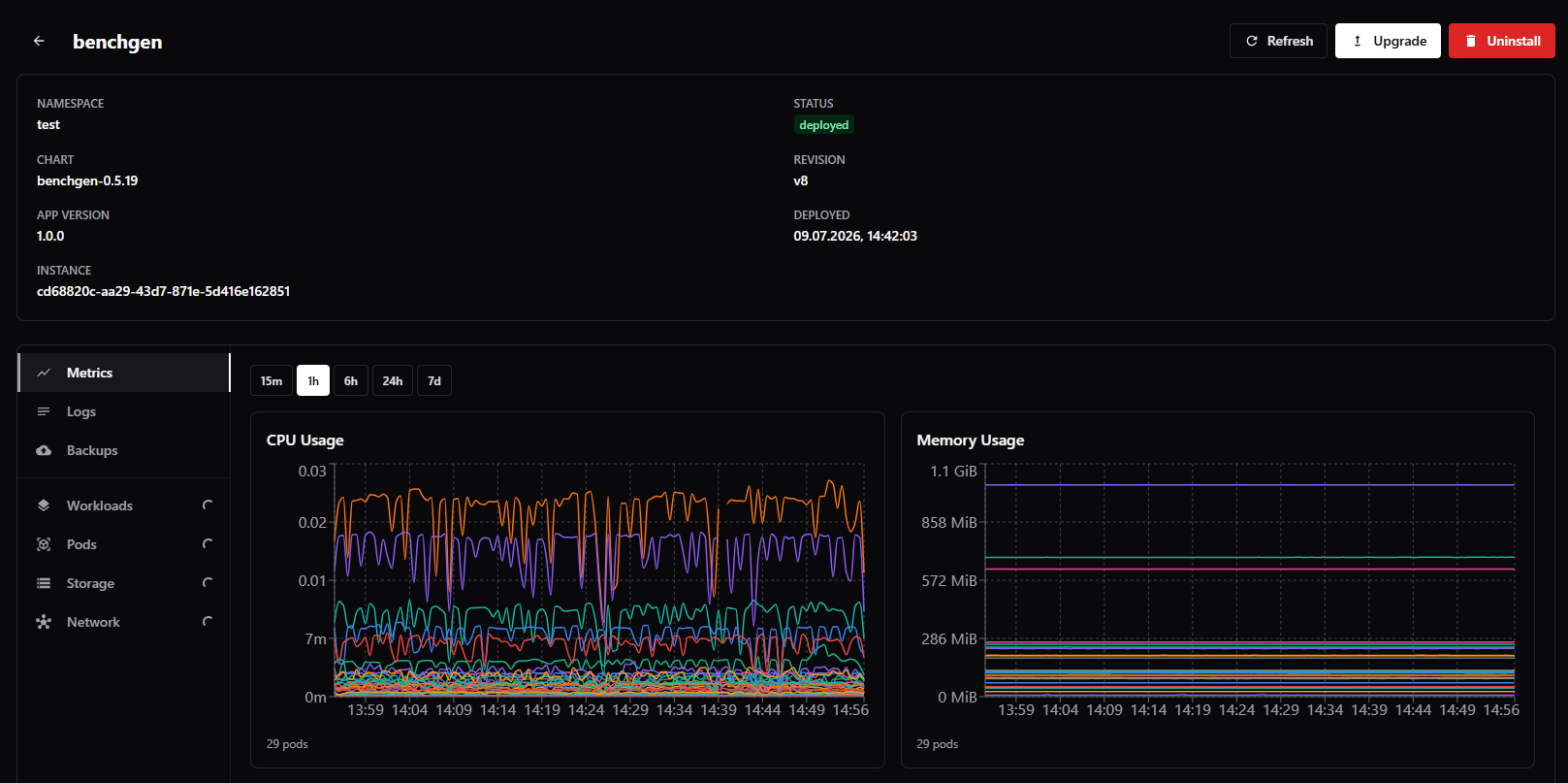
Release details: status, revision, and per-pod metrics
deployed and all pods Running (the hook jobs show as Completed).
4. Upgrade
Open the application and click Upgrade: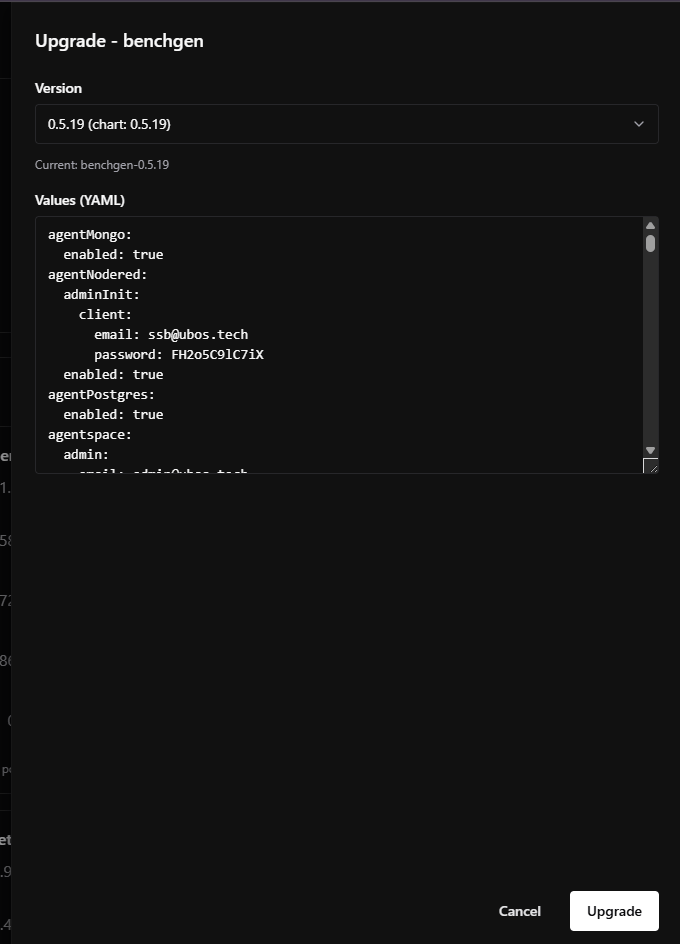
Upgrade dialog - pick a chart version and edit the release values
- Select the chart version. You can keep the current version to apply a values-only change, or pick a newer one from the marketplace.
- Edit the values YAML - the editor is pre-filled with the release’s current values.
- Confirm. Only pods whose rendered spec changed are restarted; data on PersistentVolumeClaims survives.