

Using AI to Generate a Topic
Use the Generate with AI feature to bootstrap a Topic definition (label, API name, classification description, scope, and instructions) from a natural language prompt. This page gives you patterns, validation criteria, and refinement tactics so output reaches production quality quickly.Summary
Prerequisites
- Access to an Agent where you can create Topics
- Understanding of what the Topic should and should NOT handle
- (Optional) List of trigger phrases & default values you expect
When to Use vs. Manual Authoring
Step-by-Step
- Open the Topics tab of your Agent and click Create New Topic.
- Click Generate with AI.
- Enter a descriptive prompt (see Prompt Patterns below).
- Submit and wait for the draft.
- Review each section (Label, API Name, Classification, Scope, Instructions).
- Edit for clarity, compliance, and uniqueness.
- Accept / insert the generation into the form.
- Save the Topic and run initial test prompts.
Prompt Patterns
Tips:
- State DEFAULTS (difficulty, count, format) explicitly
- Add EXCLUSIONS (what this topic must not do)
- Include ACTION verbs for classification: “explain”, “quiz”, “summarize”, “coach”
Screenshots
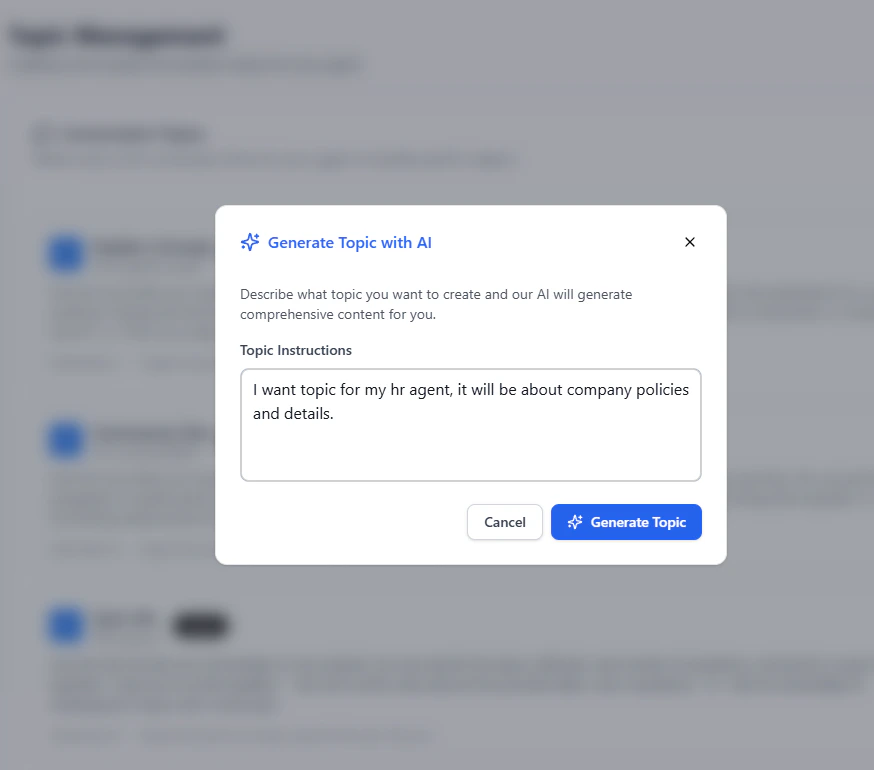
Drafting (input): the AI topic prompt
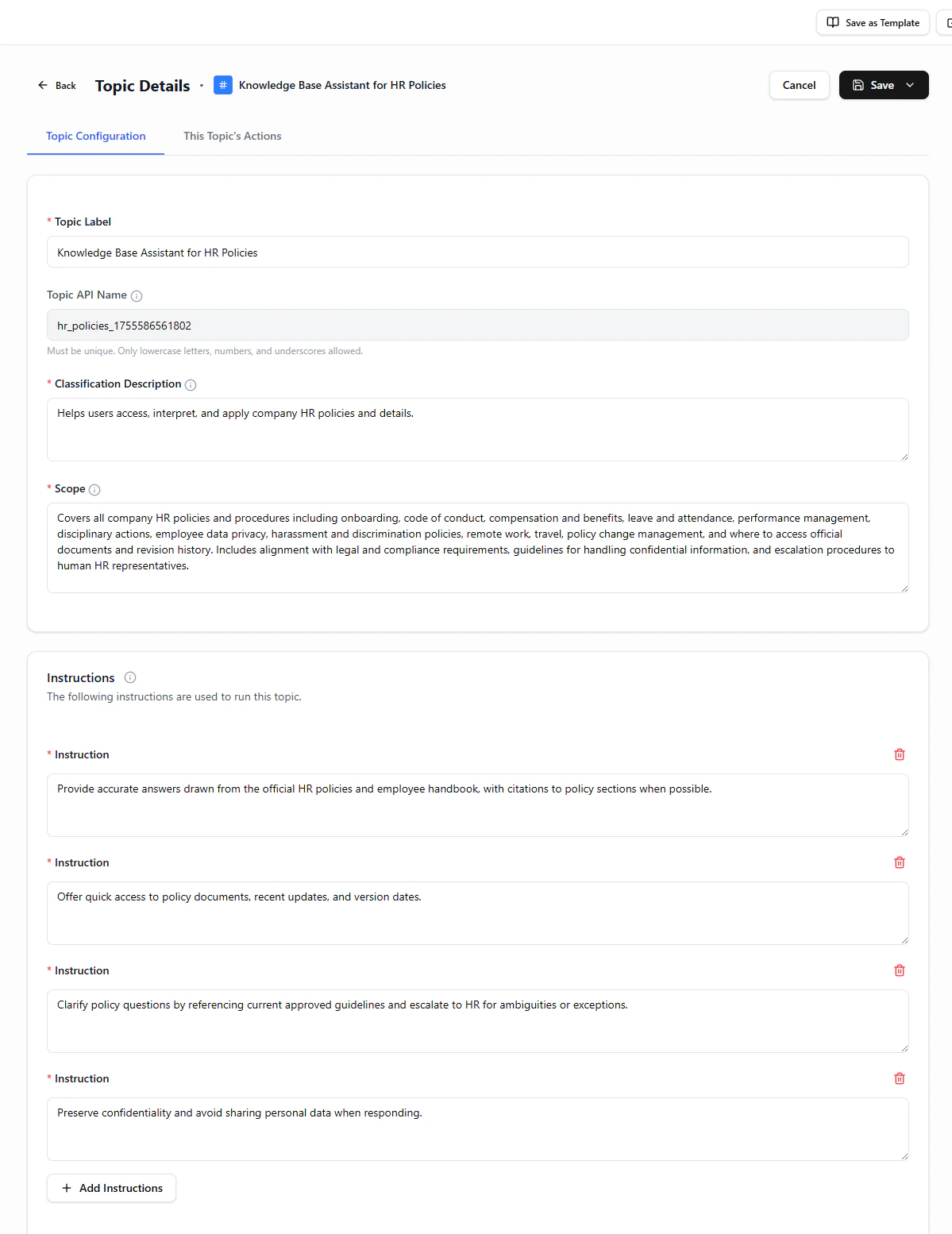
Generated Result: the AI-drafted topic
Common Pitfalls & Fixes
After Accepting the Draft
- Adjust naming collisions (if any).
- Save the Topic.
- Run 3–5 varied user phrasing tests.
- Confirm correct routing; tweak classification description if misrouted.
- Add or edit an Action if the Topic requires external calls.
Done. You now have a repeatable method to translate intent into a production‑grade Topic definition using AI assistance.