

Using Topic Templates
Topic Templates accelerate consistent Topic creation by providing pre‑filled classification, scope, and instruction patterns for common domains.When to Use a Template
Avoid templates when the domain is highly novel or legally sensitive—manual authoring ensures precise control.
Benefits
- Curated instruction set (fewer omissions)
- Consistent trigger phrasing & scope boundaries
- Faster experimentation across multiple agents
- Easier peer review (shared structure)
How to Apply a Template
- Open your Agent → Topics → Create New Topic
- Click Add from Asset Library
- Browse or search keywords (e.g.,
search,quiz,orders) - Preview template details (label, classification, scope, instructions)
- Click Use Template
- Adjust fields:
- Ensure API name uniqueness
- Tighten/extend scope boundaries
- Remove irrelevant instructions
- Add organization/compliance constraints
- Save the Topic
Template Gallery Preview
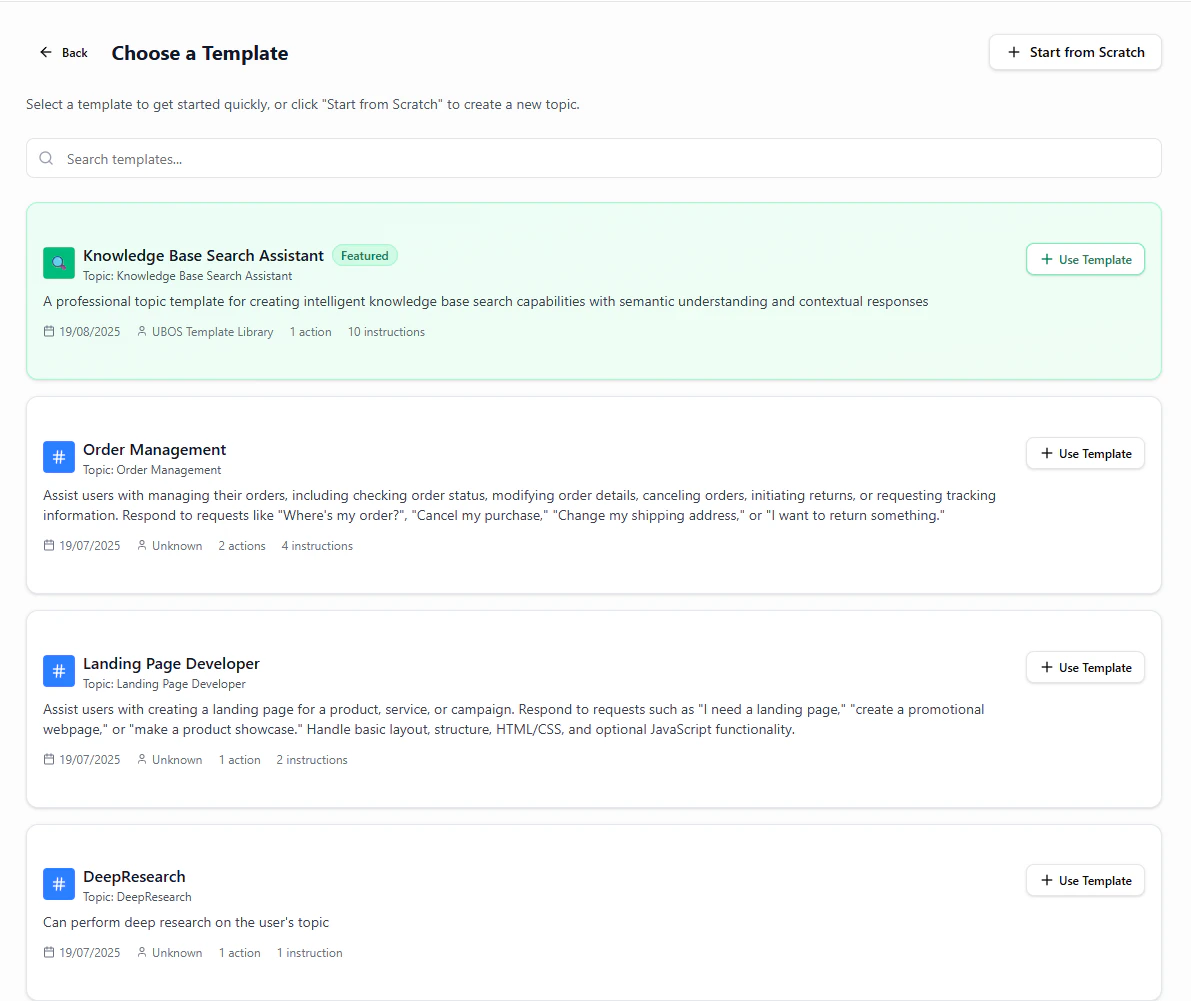
Topic Template Library
Good Practice After Import
- Run 3 test prompts that SHOULD classify
- Run 2 that should NOT classify (negative tests)
- Version the template if heavily customized
Common Mistakes
Done. You can now leverage templates to deliver consistent, high-quality Topics faster.